

Browse and cull
immich-edit browses your Immich library directly and writes ratings, favorites, tags, color labels, and reject marks back to Immich after a one-time confirmation in each browser.
Navigate and filter
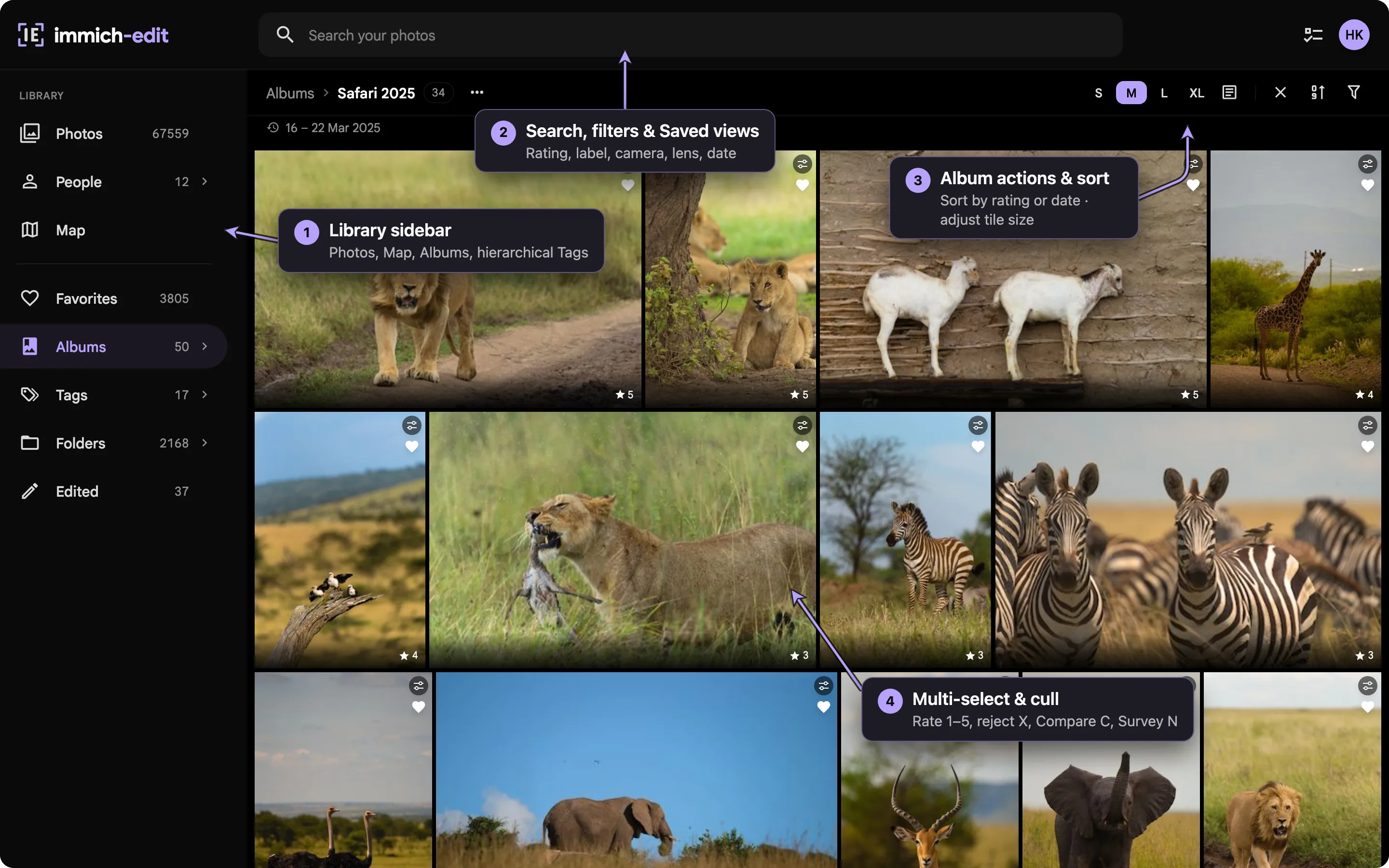
Section titled “Navigate and filter”Browse Photos, Albums, People, Tags, Folders, Map, Favorites, Edited, Archive, and Hidden.
- Search: smart CLIP search (when enabled in Immich) plus filename, description, folder/path, and OCR text search.
- Filters: combine rating, favorite, color label, reject state, albums, people, tags, date taken/added, camera/lens, place, file size, and visibility. Active filters stay in the URL for bookmarks and browser navigation.
- Saved views: select Save view to store a filter, sort order, and thumbnail size under a name in your account.
- Timeline tools: day headers select an entire day; the date scrubber jumps to any month. Hold
Wover any grid tile to peek at a larger preview.
Albums and tags
Section titled “Albums and tags”- Albums: create, rename, describe, delete, or leave Immich albums from Album actions (
⋯), right-click, or touch long-press. Set an album’s cover from the loupe⋯menu (Set as album cover). Deleting or leaving an album never deletes photos. - Tags: browse Immich’s tag hierarchy as a colored tree in the sidebar and on Tags. Create
tags or sub-tags, rename (Immich 3.3+), recolor, or delete tags from Tag actions (
⋯). Internalimmich-edit/tags used for color labels and rejects stay hidden.
Rate, reject, and label
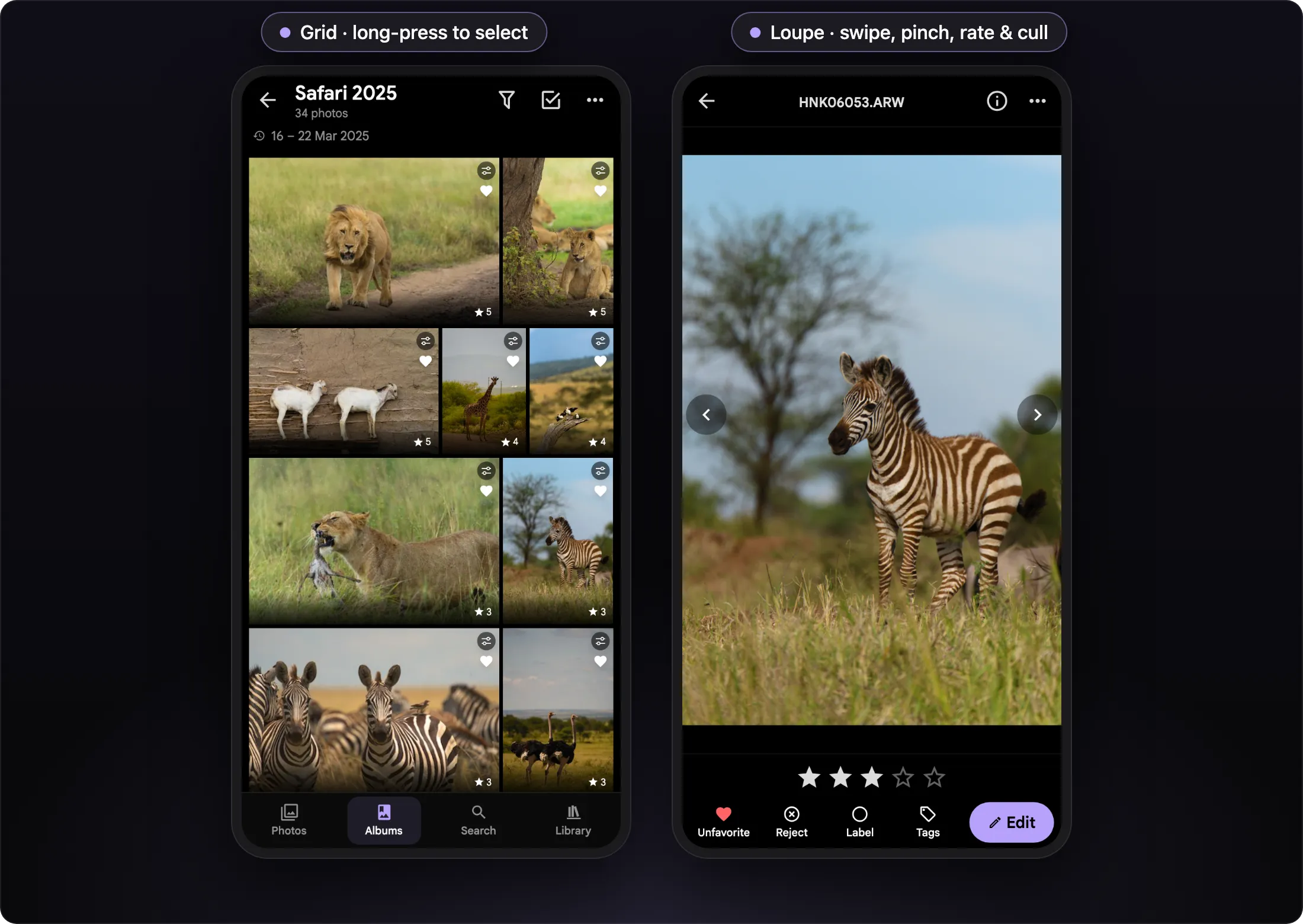
Section titled “Rate, reject, and label”Click or tap a photo to open the loupe, then cull with keyboard or touch controls:
1–5sets star rating (0clears);Ptoggles favorite;Xmarks rejected.6–9sets Red, Yellow, Green, or Blue color labels (Purple is in the label menu).- Turn on Auto-advance in the loupe to move to the next photo after each rating.
- Press
Alt+1–8in the loupe to apply recent tags quickly. - Press
Ifor Photo info (EXIF, description editing, mini map, and tags).
Compare, survey, and virtual copies
Section titled “Compare, survey, and virtual copies”Select multiple photos (box-drag between tiles on desktop, or press-and-hold on touch) to act in bulk:
- Compare: inspect two photos side by side with synchronized or independent zoom and pan.
- Survey: view up to 9 photos together (4 on portrait tablets) to pick the strongest frame.
- Face-aware zoom: steps through Immich-detected faces, or the sharpest region when none exist.
- Virtual copies: create independent edit versions of the same RAW without duplicating the original in Immich. Copies share Immich metadata (rating, favorite, tags).
- Trash: move owned photos to the Immich trash (with Undo). Permanent deletion stays in Immich.